
 By
By 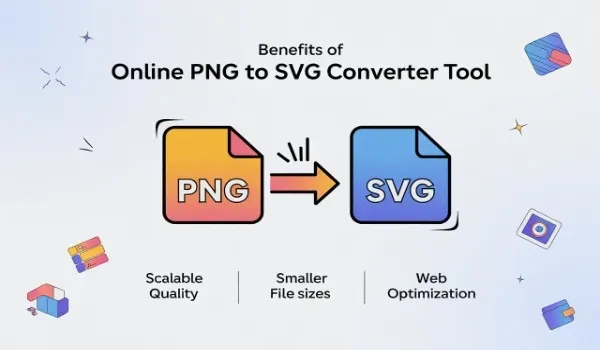
In the modern digital landscape, visuals play a major role in user engagement, branding, and performance optimization. Images are no longer just decorative elements—they are functional assets that must adapt across multiple devices and platforms.
While PNG images are popular for their clarity and support for transparency, they have limitations when it comes to scalability. This is where converting PNG files to SVG becomes a powerful and practical solution.
A PNG to SVG Converter Online offers an easy and efficient way to transform raster images into scalable vector graphics without requiring advanced design skills or expensive software.
Understanding the Difference Between PNG and SVG
PNG is a raster image format composed of pixels. This makes it ideal for photographs and detailed graphics, but it also means quality degrades when images are resized. SVG, on the other hand, is a vector format built using mathematical paths. This allows images to scale infinitely without losing sharpness, making SVG the preferred choice for logos, icons, diagrams, and UI elements.
By converting PNG to SVG, users gain more control over image quality, flexibility, and usability.
Unlimited Scalability Without Quality Loss
One of the biggest advantages of using a PNG to SVG converter is unlimited scalability. SVG images maintain perfect clarity regardless of screen size or resolution. Whether displayed on mobile devices, tablets, desktops, or large digital displays, SVG graphics always look crisp and professional.
This benefit is especially important for responsive web design, where images must adapt seamlessly across various layouts.
Faster Website Performance and Smaller File Sizes
SVG files are typically smaller in size compared to high-resolution PNG files. Smaller file sizes result in faster loading times, which improves user experience and search engine rankings. Websites that load quickly tend to have lower bounce rates and better engagement.
Using a PNG to SVG Converter Online helps optimize your website’s visual assets without compromising quality, making it an effective tool for performance-focused projects.
Easy Editing and Customization
Unlike PNG files, SVG images are easily editable. You can change colors, shapes, and sizes using design tools or even simple text editors. This makes SVG files extremely flexible for branding updates, UI modifications, and design experiments.
Once converted, SVG graphics can be animated, styled with CSS, or customized for different themes without needing to recreate the image from scratch.
Accessibility and Cross-Platform Compatibility
SVG files are supported by all modern browsers and devices. They also integrate well with accessibility tools, allowing developers to add text descriptions and improve usability for screen readers.
Online converters ensure compatibility across platforms, making SVG a reliable choice for web, mobile, and application-based designs.
No Software Installation Required
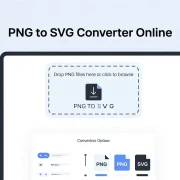
One of the key benefits of using a PNG to SVG Converter Online is convenience. There’s no need to install heavy software or learn complex tools. Online converters work directly in your browser, allowing quick uploads, instant conversions, and easy downloads.
This makes them ideal for designers, developers, marketers, and even beginners who want professional results without technical hurdles.
Cost-Effective and Time-Saving Solution
Many online converters offer free or affordable services, making them accessible to individuals and small businesses. Instead of investing in premium design software, users can achieve high-quality vector outputs in minutes.
Batch conversion options further save time when handling multiple files, increasing productivity and workflow efficiency.
Ideal Use Cases for PNG to SVG Conversion
PNG to SVG conversion is best suited for logos, icons, line art, infographics, and illustrations. These elements benefit most from vector scalability and lightweight file structures. Using a reliable PNG to SVG Converter Online ensures these graphics remain future-ready and adaptable to changing design needs.
Conclusion
Using a PNG to SVG converter online offers multiple advantages, including scalability, faster performance, easy customization, and cross-platform compatibility. SVG files help create visually consistent and high-performing digital experiences.
With a PNG to SVG Converter Online, converting raster images into flexible, future-proof vector graphics becomes simple, fast, and cost-effective. Whether you are building a website, designing a brand identity, or optimizing UI elements, SVG conversion is a smart and valuable choice.
FAQs
1. Can all PNG images be converted to SVG?
Most PNG images can be converted, but simple graphics like logos and icons produce the best SVG results.
2. Is SVG better than PNG for websites?
Yes, SVG is better for scalable elements because it loads faster and maintains quality on all devices.
3. Are online PNG to SVG converters safe to use?
Reputable online converters prioritize user privacy and automatically delete uploaded files after conversion.








Comments