
 By
By 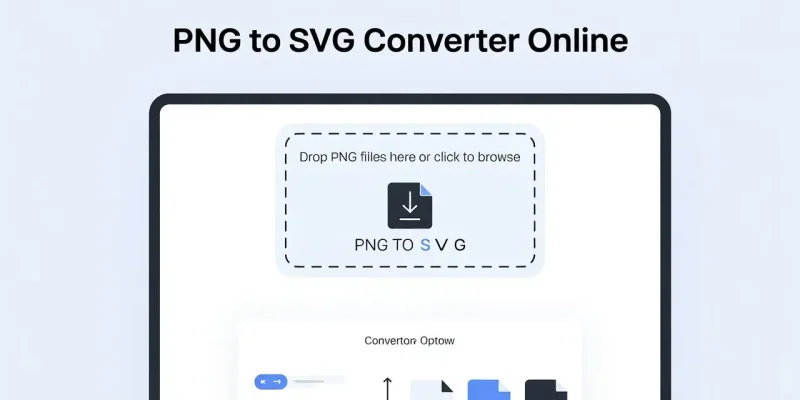
Static images can limit how your brand appears across devices and platforms. Logos lose sharpness, icons blur, and resizing becomes a constant struggle. If you want visuals that stay crisp, flexible, and editable, converting PNG files into vector format is the right move.
This guide explains how a PNG to SVG Converter Online helps you transform pixel-based images into scalable, editable vector files—without advanced design skills.
TL;DR / Quick Answer
A PNG to SVG Converter Online converts pixel-based PNG images into scalable SVG files. SVGs stay sharp at any size, are easy to edit, and work perfectly for web, print, and UI design.
Why PNG Files Have Limitations
PNG images are raster graphics. They rely on fixed pixels to display visuals. While PNGs support transparency and decent quality, they don’t scale well.
When you enlarge a PNG:
- Edges become jagged
- Text loses sharpness
- Logos appear unprofessional
This creates issues for responsive websites, high-resolution screens, and print materials. That’s where vector graphics offer a clear advantage.
Explore how vector images protect your brand visuals.
What Makes SVG Files Editable and Scalable
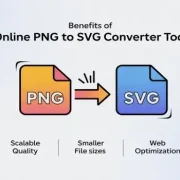
SVG (Scalable Vector Graphics) uses mathematical paths instead of pixels. This structure allows images to resize infinitely without quality loss.
SVG files offer:
- Perfect scaling on all screen sizes
- Easy editing of colors, shapes, and text
- Smaller file sizes for faster loading
- Compatibility with modern browsers and design tools
Using a PNG to SVG Converter Online bridges the gap between existing raster images and modern vector requirements.
How a PNG to SVG Converter Online Works
A PNG to SVG Converter Online analyzes the pixels in your PNG image and traces them into vector paths. These paths recreate the image using curves and shapes rather than dots.
Most converters follow this process:
- Detect edges and color boundaries
- Convert shapes into vector paths
- Optimize the SVG file for accuracy and size
The result is an editable SVG file that maintains the original design intent while improving flexibility.
Step-by-Step: How to Convert PNG to SVG Online
You don’t need professional software to convert images. Follow these simple steps.
1. Upload Your PNG File
Choose a clear, high-resolution PNG. Images with solid colors and defined edges convert more accurately.
2. Adjust Conversion Settings
Some tools allow you to control:
Color depth
Edge smoothing
Background removal
If you’re unsure, default settings usually work well.
3. Convert and Download the SVG
Click convert and download the SVG file. Open it in a browser or design tool to verify quality.
4. Edit and Reuse
SVG files can be edited using tools like Figma, Illustrator, or even basic code editors.
See how this workflow fits into your design process.
Benefits of Using a PNG to SVG Converter Online
Here are the Benefits of Using a PNG to SVG Converter Free Tool:
For Designers
- Edit shapes and colors without redrawing
- Maintain brand consistency across assets
For Developers
- Responsive graphics that scale on all devices
- Faster website performance due to smaller files
For Businesses
- Professional-looking logos and visuals
- Reduced dependency on repeated redesigns
According to W3C recommendations, SVG is the preferred format for responsive and accessible web graphics.
Using a PNG to SVG Converter Online helps future-proof your visual assets with minimal effort.
Best Practices for Accurate Conversion
To get the best results:
- Use simple PNGs with high contrast
- Avoid heavy gradients and shadows
- Remove unnecessary backgrounds before conversion
- Always preview SVGs at multiple sizes
These steps improve accuracy and reduce post-conversion edits.
Explore how clean visuals improve user trust.
Conclusion
A PNG to SVG Converter Online allows you to transform static images into flexible, editable vector files that scale flawlessly across devices. Whether you’re refining a logo, building a website, or improving UI graphics, SVG conversion improves clarity, performance, and long-term usability.
Instead of redesigning assets from scratch, convert once and reuse everywhere.
Start using a PNG to SVG Converter Online today and upgrade your visuals with scalable, editable vector graphics that grow with your brand.
FAQs
1. Is a PNG to SVG Converter Online safe to use?
Reputable converters process files securely and delete uploads after conversion. Always review privacy policies before uploading sensitive designs.
2. Can all PNG images be converted into SVG?
Most PNGs can be converted, but complex images with gradients or photos may not convert perfectly. Simple graphics work best.
3. Why should businesses use SVG instead of PNG?
SVG files scale without quality loss, load faster, and adapt better to modern devices, making them ideal for branding and digital platforms.









Comments