
 By
By 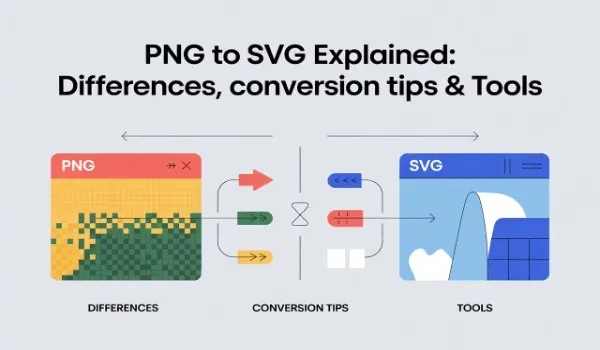
Anything that involves a digital asset, from logos to icons and illustrations through to UI elements, stands for your brand. Sure, PNGs are common and easy to use, but they can be lacking in delivering those visuals when it needs to scale, adapt, or just plain consistently across devices. That’s where PNG to SVG conversion starts to make practical sense and is considered even strategically.
Knowing how to differentiate these formats prevents blurry visuals, inconsistent branding, and redesigns over and over.
This guide breaks down where PNG and SVG differ, when conversion makes sense, and how to do it correctly.
TL;DR / Quick Answer
PNG to SVG conversion turns fixed-size pixel images into scalable vector graphics, helping your designs stay sharp, flexible, and future-ready across digital and print platforms.
Why PNG to SVG Conversion Matters for Your Brand
As your business grows, your visuals pop up increasingly on websites, mobile applications, presentations, social media, and in print. Using PNG everywhere often results in inconsistent quality.
Conversion of PNG to SVG helps in the following ways:
- Keep the visuals sharp for all screen resolutions.
- Reduce proliferation of multiple image sizes
- Make the creation of reusable assets that can adjust easily.
This is not merely a matter of technical enhancement. It is something that reflects directly upon your brand, making it look both professional and consistent.
See how scalable graphics support long-term branding.
Understanding the Core Differences: PNG vs SVG
PNG and SVG have been created for different purposes.
PNG is a format for raster images. It consists of pixels in rows and columns. Every PNG has a certain width and height. When you stretch it beyond that width and height, the image starts losing clarity. This makes PNG all right for screenshots, photos, and detailed images—but not too good for logos or icons.
SVG is a vector format. Instead of pixels, it uses mathematical paths to describe the shapes and lines. In this way, SVG images can go to infinity without a loss of quality. According to Adobe’s official image format comparison, SVG is recommended for web graphics that require responsiveness and sharp edges across screen sizes.
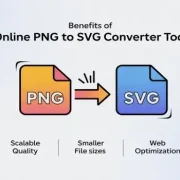
Key Benefits of Converting PNG to SVG
The advantages and Top Features of the Best PNG to SVG Converter Free Tools:
1. Unlimited Scalability of PNG to SVG Converter Tool
SVG files remain crisp whether they appear as a small app icon or a large banner.
2. Better Website Performance
Because of this, vector files tend to be smaller than high-resolution PNG files, and can therefore improve page load time.
3. Easier Editing and Updates
One of the great things about SVGs is that they allow a person to go in and edit only what needs to be edited, rather than having to recreate an entire image.
4. Cross-Platform Consistency
Your graphics look identical on desktop, mobile, and print materials.
These advantages render SVG more as a long-term asset rather than just a one-time file.
See how this enhances design efficiency.
Best Practices for High-Quality Conversion
Preparation is key in order to get the best results using PNG to SVG.
- Just follow these steps that are sure to work:
- High-resolution PNG source
- Choose images with solid colors and clear edges.
- Remove backgrounds or unnecessary noise
- Preview the SVG prior to final use
- Test scaling on different devices
Avoid converting photos or very texture-heavy artwork. These tend to yield SVG files that are far too complex.
Smarter conversions reduce the need for rework later.
Choosing the Right PNG to SVG Tools
Not all converters are created equal. Some prioritize speed over accuracy, the result being a messy path, if not an entirely unusable SVG file.
What to Look for in a PNG to SVG Tool:
- Accurate edge detection
- Minimum path complexity
- Transparency support
- No installation, browser-based access
- Reliable tools focus on clean output, not just fast conversion.
- Test with a logo to assess the level of precision.
Conclusion
Understanding image formats informs you to make wiser decisions as a designer. The conversion from PNG to SVG is just not about changing the file type, but about clarity, scalability, and consistency of each visual touchpoint. If your graphics need to grow with your business, vector formats are vital. Convert PNG to SVG today and future-proof your logos, icons, and digital graphics.
FAQs
1. Is PNG to SVG conversion suitable for logos?
Yes. Logos benefit the most because SVG keeps their edges sharp at any size.
2. Will the SVG work on all browsers?
SVG is supported by all modern browsers. For older systems, it can use PNG fallback.
3. Does PNG to SVG conversion always reduce the file size?
Often yes for icons and logos. Complex images may result in larger files.









Comments